

Contents
There is no native WagerLand app in the App Store or Google Play - WagerLand casino runs as a mobile website in Safari, Chrome and other browsers on iOS and Android. The mobile version uses the same account, GBP balance, lobby, Deposit section and Rewards Centre as desktop, including the welcome package of up to £4,000 + 300 spins and the Progressive Cashback option. Adding the site to the home screen gives one-tap access without downloads, storage use or updates. Any "WagerLand APK" offered outside the official site is unofficial and should not be installed.
Because WagerLand already uses a menu icon and compact header on desktop, the mobile site looks and works almost the same as the full version. This page covers how to open it on a phone, how to create a home screen shortcut, what works on mobile and how payments and verification are handled.
| Feature | WagerLand mobile browser version |
|---|---|
| Download required | No |
| iOS access | Safari, Chrome or Firefox |
| Android access | Chrome, Firefox, Samsung Internet or any modern browser |
| Home screen shortcut | Available on iOS and Android |
| Registration | Full 4-step flow with bonus choice and +44 phone field |
| Game lobby | Top 20, Queen's Exclusives, VIP Selection, Casino Floor, live casino |
| Jackpot | Four-level progressive jackpot available |
| Rewards Centre | Progressive Cashback, Perks, Wheel of Luck, VIP Club |
| Cashier | Deposit section in GBP |
| Support | Live chat button in the corner of the screen |
| Updates | Automatic - the current version loads every time |
Is there a WagerLand casino app for Android or iOS?
No. WagerLand does not publish a native app in the App Store or Google Play. Real-money casino apps from operators without a UK Gambling Commission licence are generally not available in UK app stores, and WagerLand operates under a Curaçao licence. The full casino is delivered through the mobile website instead.
In practice, the difference is small. The browser version includes every game, the cashier, the Rewards Centre and seasonal events, and a home screen shortcut makes it behave like an installed app. The main risk is unofficial downloads: files or apps presented as WagerLand on third-party sites are not provided by the casino.
How to access WagerLand on mobile
Opening WagerLand on a phone takes a few taps.
- Open Safari, Chrome or another up-to-date mobile browser.
- Go to the official WagerLand casino site.
- Tap Log in to sign in or Join to register.
- Use the menu icon in the top-left corner to reach game categories and pages.
- Use the Deposit and Rewards Centre icons in the header for payments and bonuses.
How to add WagerLand to your home screen
A home screen shortcut is the closest thing to a WagerLand app. It opens the casino in one tap and always loads the latest version.
iPhone and iPad (Safari)
On iOS, the shortcut is created through the Share menu.
- Open WagerLand in Safari.
- Tap the Share icon (square with an upward arrow).
- Choose Add to Home Screen.
- Keep the name "WagerLand" and tap Add.
- Open the casino from the new icon on the home screen.
Android (Chrome)
On Android, the shortcut is added from Chrome's menu.
- Open WagerLand in Chrome.
- Tap the three-dot menu in the top-right corner.
- Select Add to Home screen or Install app, if offered.
- Confirm the name and tap Add.
- Launch WagerLand from the home screen icon.
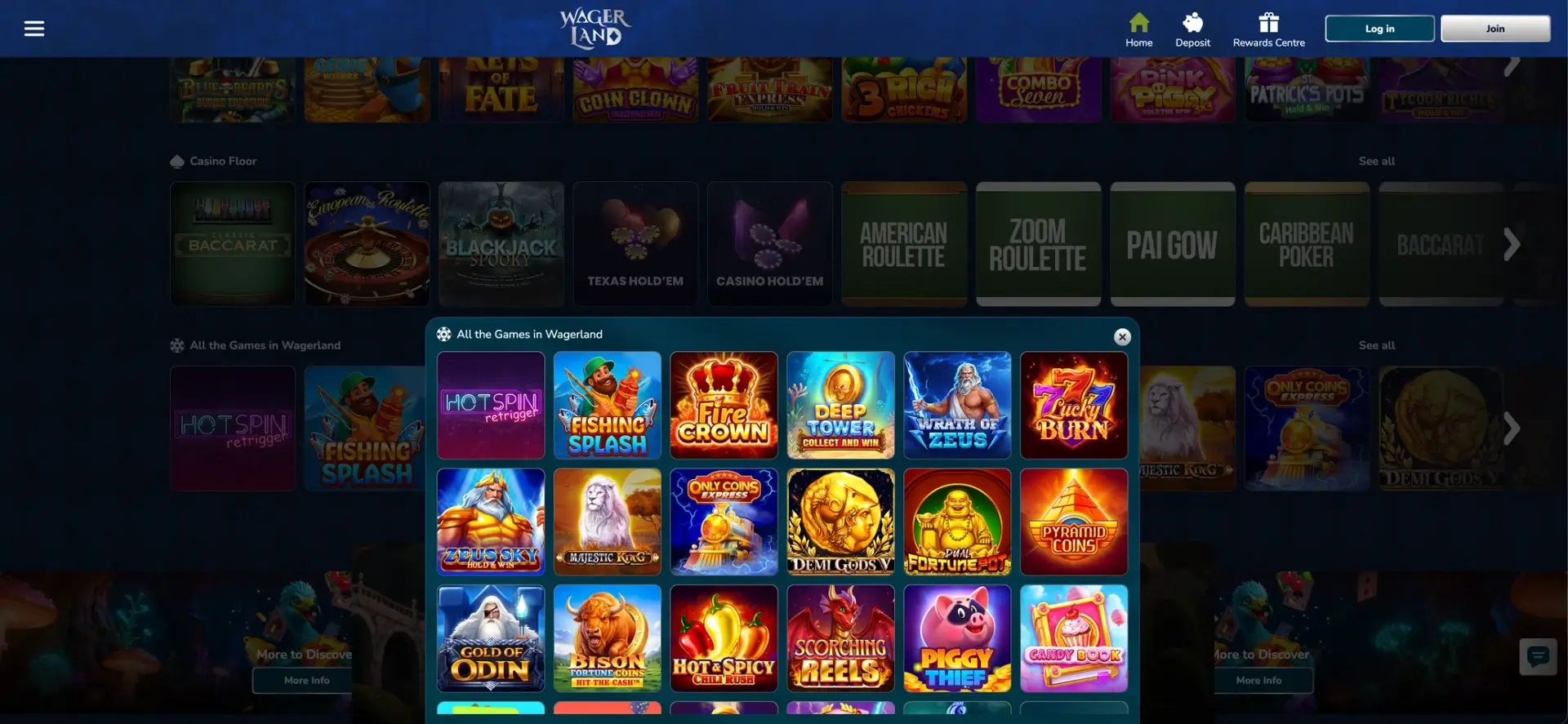
Features available on WagerLand mobile
Every section of the desktop site is available in the mobile browser.
- Registration: bonus choice (Premium Bonus, Progressive Cashback or none) and the four-step form.
- Slots: WagerLand Top 20 with Bonanza Billion Merge Up, Candy Book and Hot & Spicy Chili Rush, plus Queen's Exclusives and Royal Court's VIP Selection.
- Jackpot: the Grand, Mega, Major and Mini levels with the last winner display.
- Table games: Casino Floor with European Roulette, Classic Baccarat, Texas Hold'em, Pai Gow and Caribbean Poker.
- Live casino: Speed Blackjack, Gravity Roulette, No Commission Baccarat and game shows.
- Rewards Centre: Progressive Cashback, Perks profile, Wheel of Luck and VIP Club.
- Events: seasonal campaigns such as Monster Mash with their countdown timers.
- Support: live chat from the button in the corner.
WagerLand performance on mobile
The mobile site runs on the same platform as desktop, so performance depends mainly on the device and connection.
- Lobby: themed rows scroll horizontally, so the homepage stays short and quick to load.
- Slots: HTML5 titles run in portrait or landscape without plugins.
- Live tables: streams adapt to the connection; Wi-Fi gives the smoothest picture for Speed Blackjack and Gravity tables.
- Data use: live casino uses considerably more data than slots.
- Battery: long live sessions drain the battery faster; lower brightness helps.
Mobile payments in GBP
The Deposit icon in the header opens the full cashier on mobile, with the same methods and limits as desktop. Verification documents can be photographed and uploaded directly from the phone.
| Payment aspect | On mobile |
|---|---|
| Where to pay | Deposit icon in the header |
| Currency | GBP |
| Methods | Same as desktop - cards, e-wallets and crypto depending on region |
| Limits | Shown per method in the cashier |
| Welcome bonus | Credited on mobile deposits as on desktop |
| Withdrawals | Requested from the same cashier |
Security on WagerLand mobile
The mobile site uses the same encrypted connection as desktop. Most mobile risks come from the device: no screen lock, saved passwords on shared tablets or unofficial apps. Signing in only through the official site or the home screen shortcut, using a screen lock and avoiding public Wi-Fi for payments keep the account safe.
WagerLand account verification on mobile
Verification is required before the first withdrawal and can be completed entirely on a phone. WagerLand asks for photo ID, proof of address from the last three months and proof of the payment method. Photos should show all four corners, be in focus and have no glare, and the details must match those entered at registration.
Tips for UK players using WagerLand on mobile
A few habits make mobile play smoother.
- Choose the welcome offer carefully on the first screen - it is easy to tap through on a phone.
- Use the home screen shortcut instead of searching for the site.
- Play live tables on Wi-Fi.
- Check the Wheel of Luck counter in the Rewards Centre for unused spins.
- Set deposit limits in the account, since WagerLand is not covered by GamStop.
- Upload KYC documents from the phone camera right after the first deposit.
WagerLand app FAQ
Common questions about WagerLand on phones and tablets.
Is there a WagerLand app on the App Store or Google Play?
No. WagerLand runs in the mobile browser and can be added to the home screen.
Is there a WagerLand APK?
WagerLand does not distribute an APK. Files under that name elsewhere are unofficial.
Can I register on WagerLand from my phone?
Yes. The bonus choice and the four registration steps work in mobile browsers.
Can I claim the WagerLand bonus on mobile?
Yes. The Premium Bonus, Progressive Cashback and all Rewards Centre features are available on mobile.
Does WagerLand live casino work on phones?
Yes. Live blackjack, roulette, baccarat and game shows stream in mobile browsers.
Do I need to update the WagerLand mobile site?
No. The browser always loads the current version.
Is my account the same on mobile and desktop?
Yes. One login gives access to the same balance, bonuses and Perks progress on all devices.